


Is your laptop heating issue slowing you down when you need peak performance? Whether you’re editing videos, crushing deadlines or deep into a gaming session, an overheating problem can feel like your laptop is waving a white flag.
But here’s the thing: overheating doesn’t just cause temporary lag. Over time, it chips away at performance and battery life. That’s a costly gamble.
What if a simple laptop cooling pad or ergonomic laptop stand could make all the difference? In this article, we’ll discuss some of the products for preventing laptops from overheating on Insprire Uplift…so your machine stays calm and collected.
- What are some of the products that prevent a laptop from overheating? They include an adjustable laptop stand, a clip-on cooling fan and a cooling fan rack.
Table of Contents
Top Products That Help With Overheating of The Laptop (On Inspire Uplift)
Below are products that are designed to improve airflow and tackle common laptop heating issues.
1. Foldable laptop cooling fan with double fans
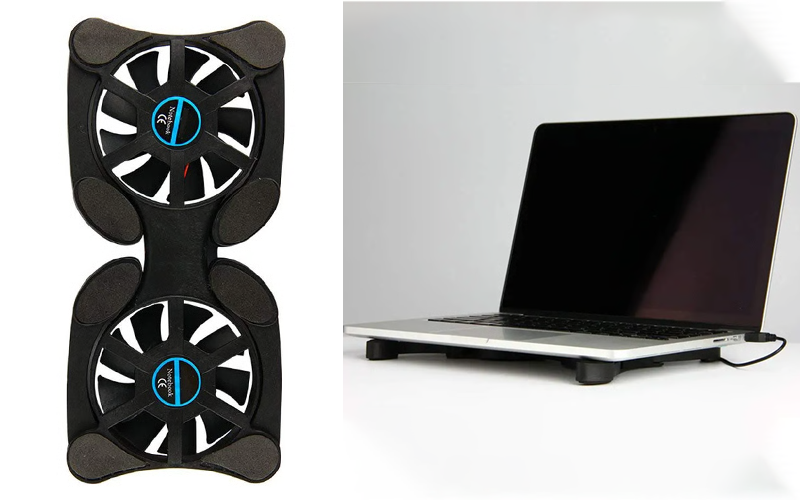

When your laptop starts heating during a Zoom call, it’s not only uncomfortable but disruptive. The fans get loud and the familiar overheating problem creeps in.
Left unchecked, this can quietly wear down internal components over time. This is what Dell’s director of Digital Resolution Excellence, Eddie Matos, says,
This foldable USB cooling fan improves airflow underneath, helping your device breathe easier.
Compact and portable, it doubles as a mini laptop stand while actively reducing heat buildup.
2. Magnetic cooling pads for MacBook
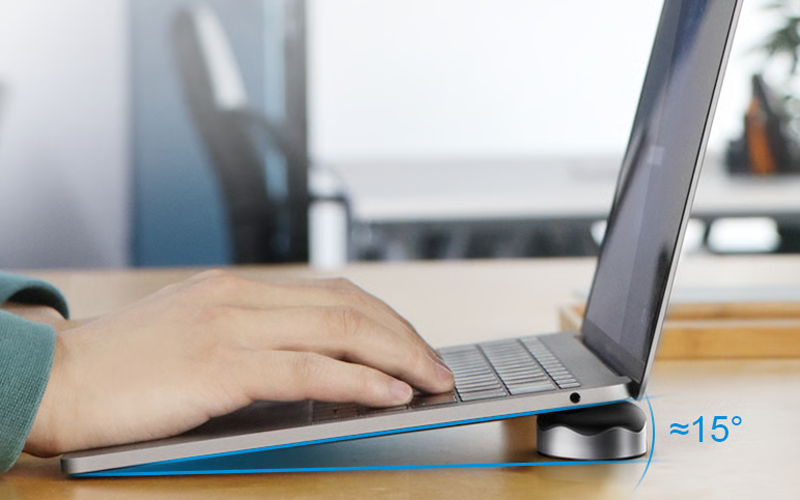
Ever caught your laptop feeling like a hot brick after a day of work or a marathon streaming session?
When your laptop sits flat on a desk, poor airflow can trap heat right where it’s least welcome. And if the chips run consistently at 90 degrees, they lose up to 30% of their expected lifetime.
These magnetic cooling pads (x2) lift your device (MacBook + 13-16” laptops) at a comfortable angle to improve ventilation and help hot air escape.
It’s easy to set up, slips into your bag and gives your machine just enough breathing room to keep things running smoothly.
3. Laptop stand for bed
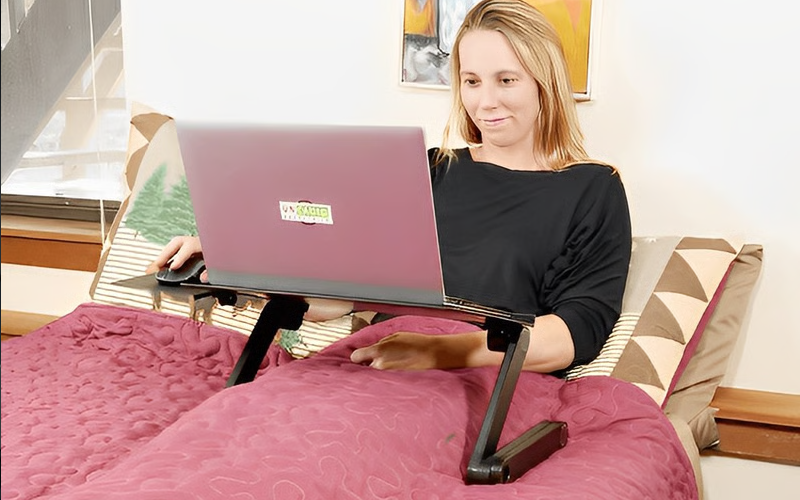
Working or watching movies from bed can feel like living the dream, until your laptop starts acting like a space heater.
This laptop stand lifts your device to turn passive heat build-up into smoother airflow. It’s a simple, practical tech accessory that helps reduce laptop overheating…especially useful if you’re using a gaming laptop or heavy apps while lounging.
4. Adjustable laptop stand with cooling fan
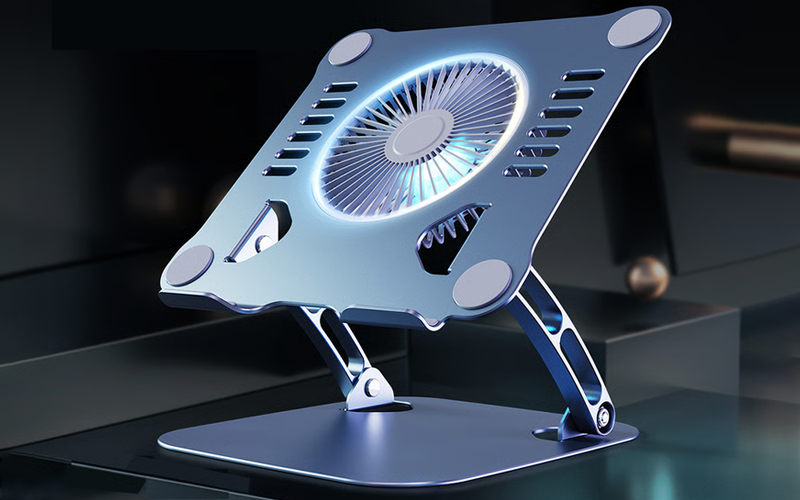
If your laptop spends hours on a desk handling video calls and coding sprints, heat buildup is almost inevitable. This adjustable laptop stand changes that dynamic.
First, it elevates your device to improve natural airflow. Second, the built-in cooling fan adds active airflow. Third, the aluminum alloy body helps disperse heat more efficiently. It’s like the cooling rack you use for hot pans, as said by a laptop user here.
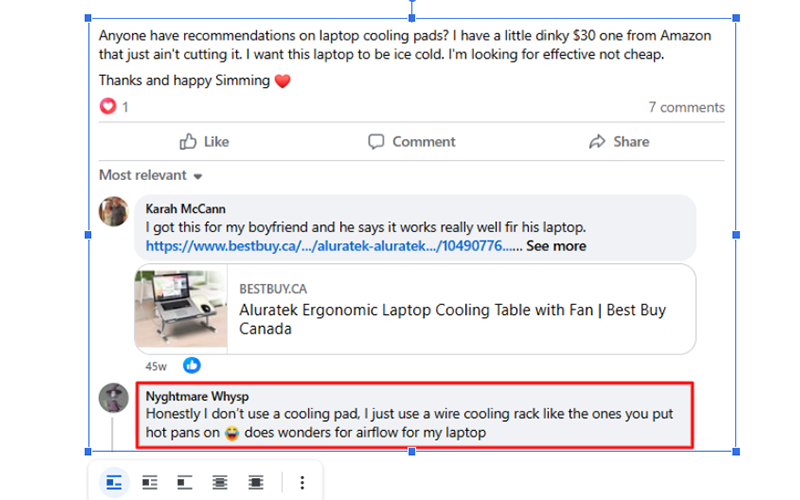
Such laptop stands are a balanced setup designed for steady performance rather than quick fixes.
5. Universal laptop riser stand
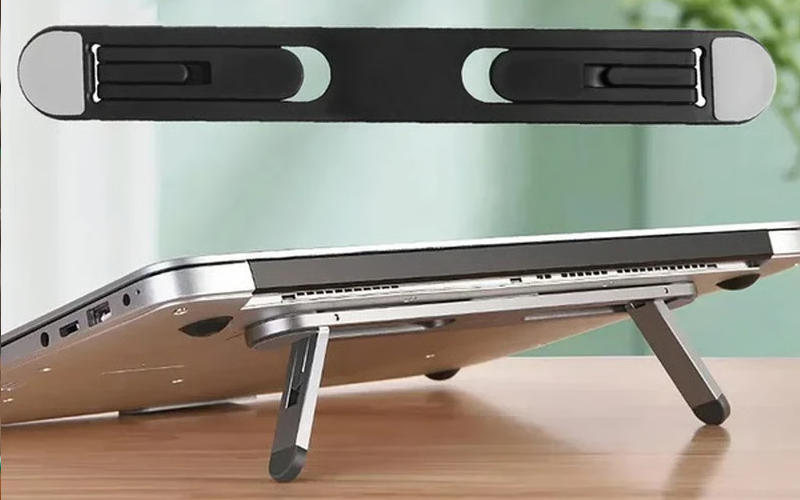
This is another riser stand that lifts your device to boost airflow and reduce heat buildup. Lightweight and sturdy, it helps ease the laptop heating issue so your device runs cooler without breaking a sweat.
6. 360-degree rotation clip-on table fan
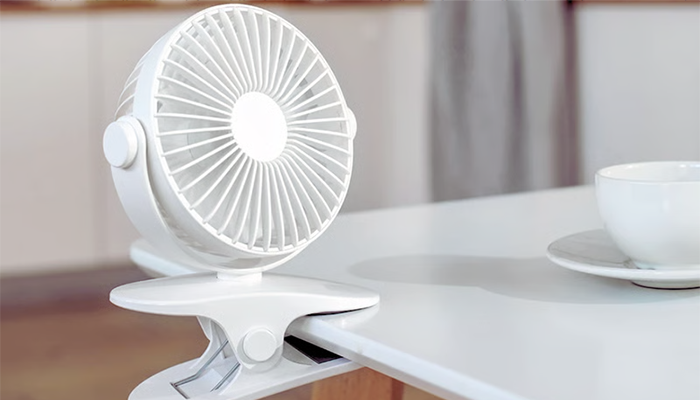

With flexible positioning and powerful airflow, it targets the hot spots that internal fans alone can’t reach. Clip it beside your laptop on the table you’re working on and adjust it towards the vents to help blow heat away.
Portable and rechargeable, such portable fans are a practical product for preventing laptop overheating.
Some Tips To Prevent The Laptop From Overheating

Here are some additional tips.
1. Keep your laptop vents clean and dust-free
Over time, dust clogs air vents and internal fans, restricting airflow and trapping heat inside. The result? An avoidable overheating problem that stresses components.
To implement this, shut down your laptop, unplug it and use compressed air to gently blow out dust from the vents every few weeks. If you’re comfortable, internal cleaning can help too.
2. Adjust power settings
If your laptop feels like it’s working overtime, even when you’re browsing, it’s often because the system is under unnecessary strain. As Dell’s hardware guidelines note, heavy background processes can drive temperatures up by pushing CPU & GPU harder than they need to be.
We recommend switching to balanced or power-saving settings when you’re not doing intense work. This reduces heat generation by limiting how hard the processor runs, cuts down on fan noise and helps prevent that nagging laptop heating issue.
Bottom line
Laptop overheating isn’t something to ignore and hope for the best. A small laptop heating issue today can snowball into serious performance damage tomorrow.
The good news? These products prevent laptop overheating and can easily be integrated into your daily setup. Which one would you try first? Drop a comment below.