
 Sion Goff

- What are some of the products that prevent a laptop from overheating? They include an adjustable laptop stand, a clip-on cooling fan and a cooling fan rack.
- These products are most useful for people engaged in extended sessions of gaming, streaming and video editing.
Is your laptop heating issue slowing you down when you need peak performance? Whether you’re editing videos, crushing deadlines or deep into a gaming session, an overheating problem can feel like your laptop is waving a white flag.
But here’s the thing: overheating doesn’t just cause temporary lag. Over time, it chips away at performance and battery life. That’s a costly gamble.
What if a simple laptop cooling pad or ergonomic laptop stand could make all the difference? In this article, we’ll discuss some of the products for preventing laptops from overheating on Inspire Uplift…so your machine stays calm and collected.
Table of Contents
Top Products That Help With Overheating of The Laptop (On Inspire Uplift)
Below are products that are designed to improve airflow and tackle common laptop heating issues.
1. Foldable laptop cooling fan with double fans
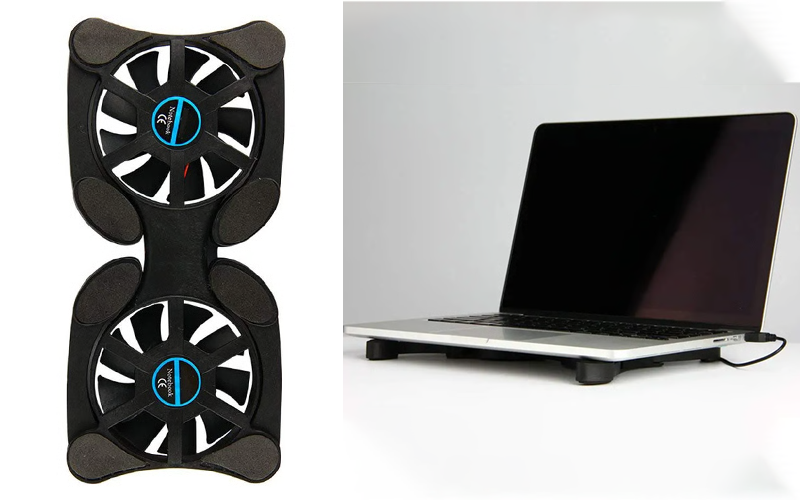
When your laptop starts heating during a Zoom call, it’s not only uncomfortable but disruptive. The fans get loud and the familiar overheating problem creeps in.
Left unchecked, this can quietly wear down internal components over time. This is what Dell’s director of Digital Resolution Excellence, Eddie Matos, says,
This foldable USB cooling fan improves airflow underneath, helping your device breathe easier.
Compact and portable, it doubles as a mini laptop stand while actively reducing heat buildup.
2. Magnetic cooling pads for MacBook
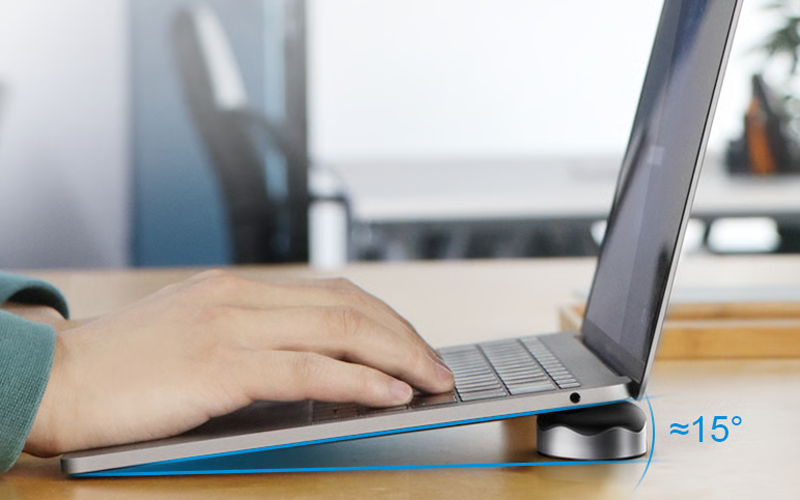
Ever caught your laptop feeling like a hot brick after a day of work or a marathon streaming session?
When your laptop sits flat on a desk, poor airflow can trap heat right where it’s least welcome. And if the chips run consistently at 90 degrees, they lose up to 30% of their expected lifetime.
These magnetic cooling pads (x2) lift your device (MacBook + 13-16” laptops) at a comfortable angle to improve ventilation and help hot air escape.
It’s easy to set up, slips into your bag and gives your machine just enough breathing room to keep things running smoothly.
3. Laptop stand for bed
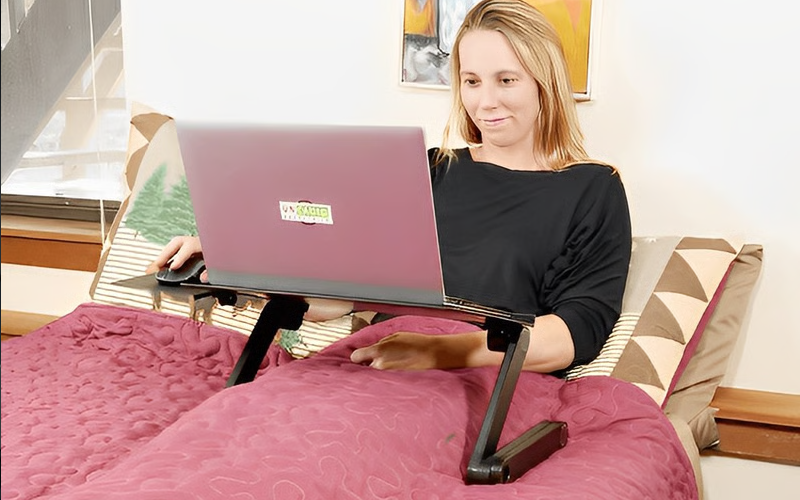
Working or watching movies from bed can feel like living the dream, until your laptop starts acting like a space heater.
This laptop stand lifts your device to turn passive heat build-up into smoother airflow. It’s a simple, practical tech accessory that helps reduce laptop overheating…especially useful if you’re using a gaming laptop or heavy apps while lounging.
4. Adjustable laptop stand with cooling fan
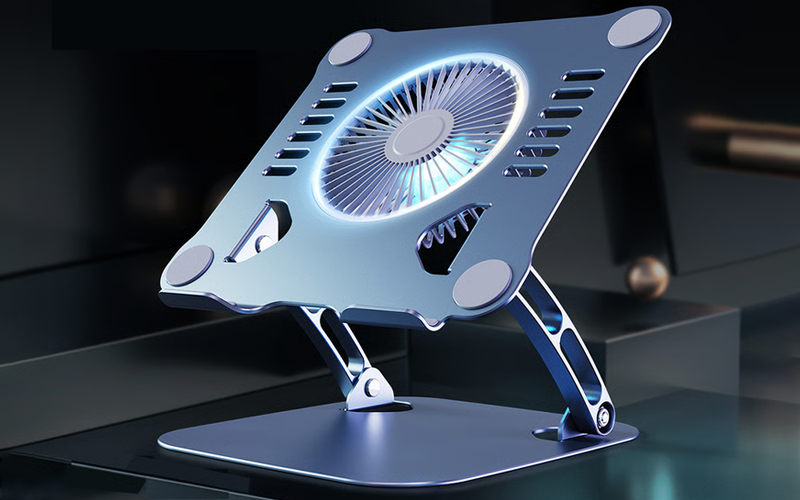
If your laptop spends hours on a desk handling video calls and coding sprints, heat buildup is almost inevitable. This adjustable laptop stand changes that dynamic.
First, it elevates your device to improve natural airflow. Second, the built-in cooling fan adds active airflow. Third, the aluminum alloy body helps disperse heat more efficiently. It’s like the cooling rack you use for hot pans, as said by a laptop user here.
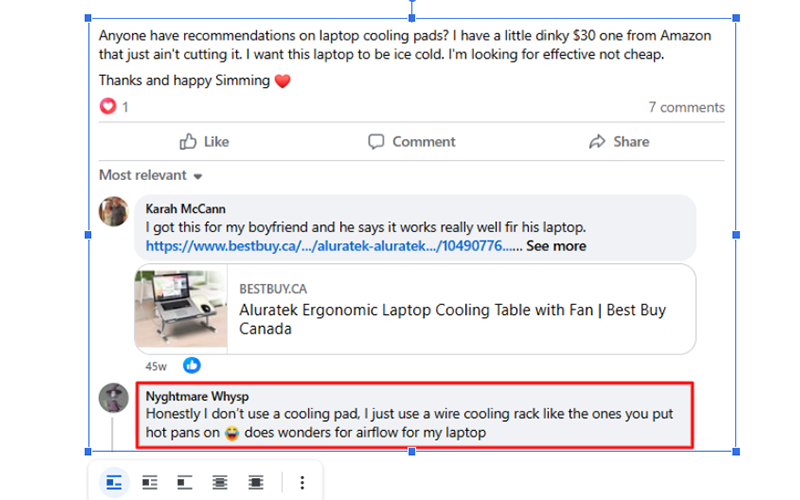
Such laptop stands are a balanced setup designed for steady performance rather than quick fixes.
5. Universal laptop riser stand
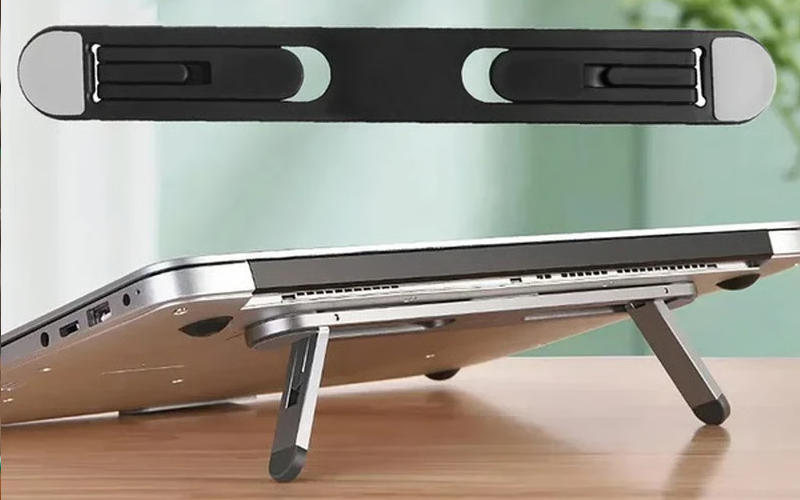
This is another riser stand that lifts your device to boost airflow and reduce heat buildup. Lightweight and sturdy, it helps ease the laptop heating issue so your device runs cooler without breaking a sweat.
6. USB cooling pad with dual fan
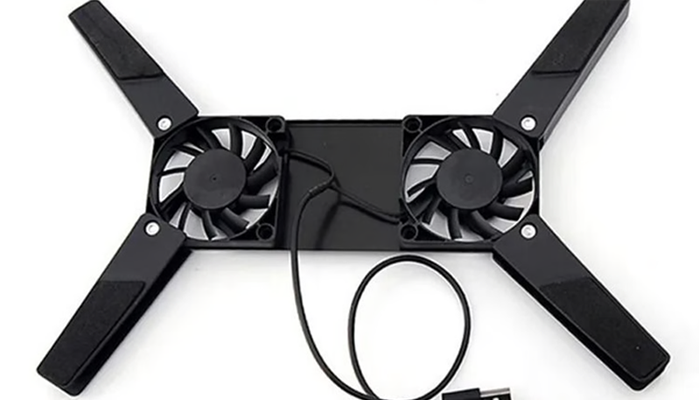
If your laptop overheats, one of the easiest solutions is to get a bracket that holds it upright, as described by this Reddit answer.

But why stay basic when you can get a specialized product in this regard? This laptop cooling pad combines an elevated laptop stand with dual USB-powered fans that actively push air underneath your device.
Whether you’re editing videos or doing online streaming, this setup gives your laptop a better chance to maintain stable performance during long sessions.
7. 360-degree rotation clip-on table fan
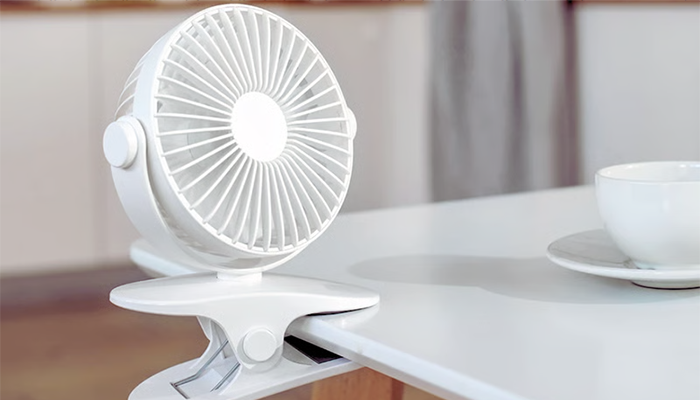
With flexible positioning and powerful airflow, it targets the hot spots that internal fans alone can’t reach. Clip it beside your laptop on the table you’re working on and adjust it towards the vents to help blow heat away.
Portable and rechargeable, such portable fans are a practical product for preventing laptop overheating.
8. Laptop cooling pad with 6 fans
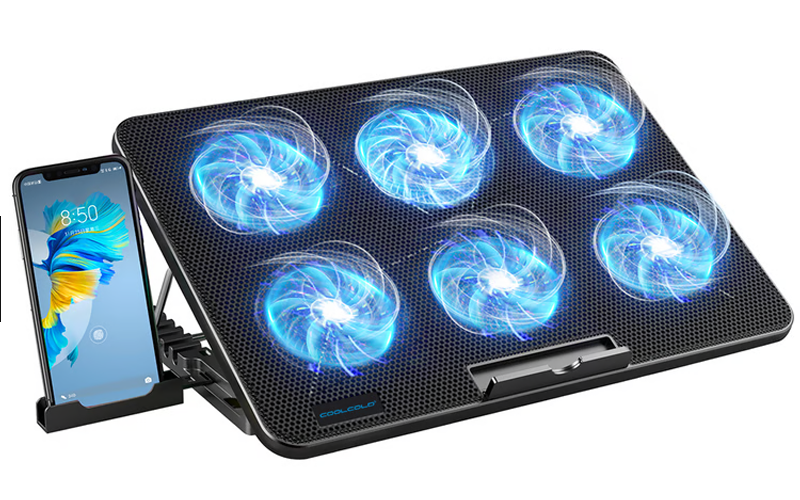
I saved the monster for the end!
With six fans circulating air under your laptop, this cooling pad is built for demanding gaming and streaming sessions. And that extra cooling matters: 64% of active gamers play for more than two hours at a time, giving heat plenty of time to build up.
Its seven height settings also let you find a more comfortable viewing angle while creating additional space for ventilation. Among practical products that prevent a laptop from overheating, it combines powerful cooling and ergonomic support in one sturdy setup.
Some Tips To Prevent The Laptop From Overheating

Here are some additional tips.
1. Keep your laptop vents clean and dust-free
Over time, dust clogs air vents and internal fans, restricting airflow and trapping heat inside. The result? An avoidable overheating problem that stresses components.
To implement this, shut down your laptop, unplug it and use compressed air to gently blow out dust from the vents every few weeks. If you’re comfortable, internal cleaning can help too.
2. Adjust power settings
If your laptop feels like it’s working overtime, even when you’re browsing, it’s often because the system is under unnecessary strain. As Dell’s hardware guidelines note, heavy background processes can drive temperatures up by pushing CPU & GPU harder than they need to be.
We recommend switching to balanced or power-saving settings when you’re not doing intense work. This reduces heat generation by limiting how hard the processor runs, cuts down on fan noise and helps prevent that nagging laptop heating issue.
Bottom line
Laptop overheating isn’t something to ignore and hope for the best. A small laptop heating issue today can snowball into serious performance damage tomorrow.
The good news? These products prevent laptop overheating and can easily be integrated into your daily setup. Which one would you try first? Drop a comment below.